Keep your PMS.
Run your hotel better.
Your PMS remains the system of record. On Property helps hotel GMs and owners see what needs attention, follow through, and make better operating decisions.
See Rate Intelligence in the Demo →$29 per property/month · No PMS replacement or integration required
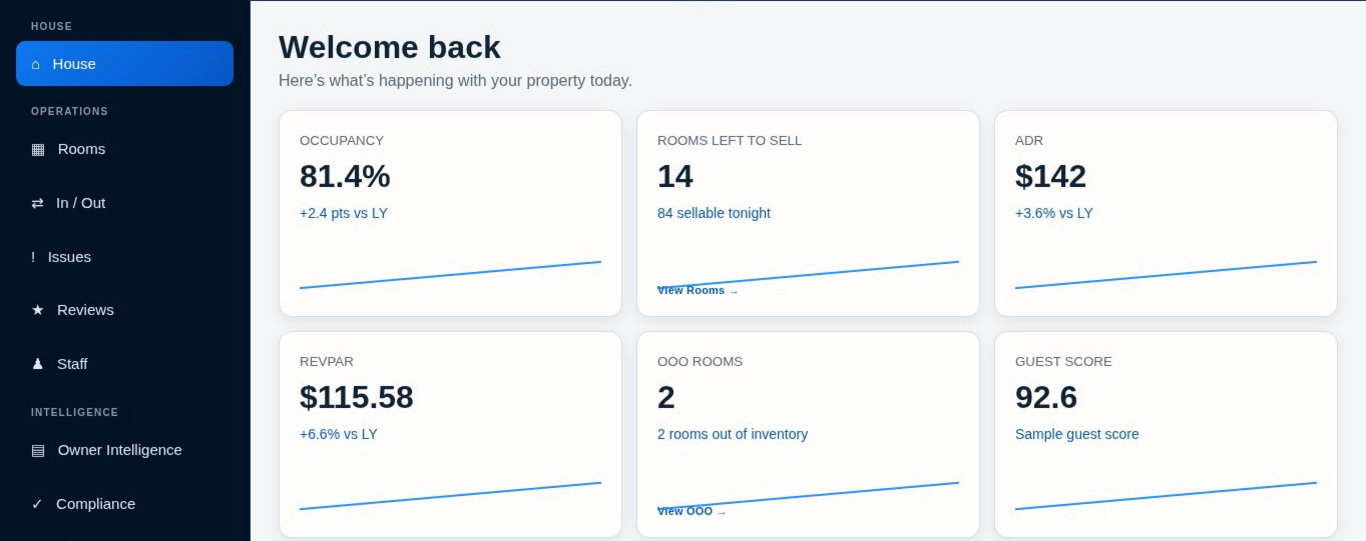
Current On Property interface shown with public-safe sample data.
Hotel systems contain data.
Your day still needs direction.
What changed? What needs attention? Who is following through? House brings recorded property activity and operating priorities into one daily view, so your next step starts with context.
See the property today
Bring operating pressure, staffing context and open work into view.
Keep follow-through visible
Move from a concern to an Issue with ownership and a next step.
Carry context forward
Use GM Brief, GM Note and operating history to frame what changed.
Review the rate decision.
Keep the final say.
Review the demand signal, competitive position and supporting evidence alongside a suggested rate range and confidence level.
The deterministic core uses zero AI. When evidence is too limited, it refuses a numeric range. The GM or Owner makes the final decision; On Property does not automatically publish or change rates.
Suggested ranges support the operator’s judgment. They are not an “optimal rate” or a revenue guarantee.
Turn feedback into follow-through.
Organize guest feedback, generate and edit a response, copy it, then mark the review answered. Link an operational Issue when the feedback points to work at the property.
On Property does not connect to external review sources or post responses for you. Issues and Compliance keep owners, deadlines and follow-up visible; compliance tracking does not certify compliance.
See the fictional Reviews workflow →Show ownership more than activity.
Give owners a clearer picture of what changed, what remains unresolved and what management is doing. Use Operating History, What Changed and Owner Takeaway to carry operating context into the next conversation.
Explore Owner Intelligence →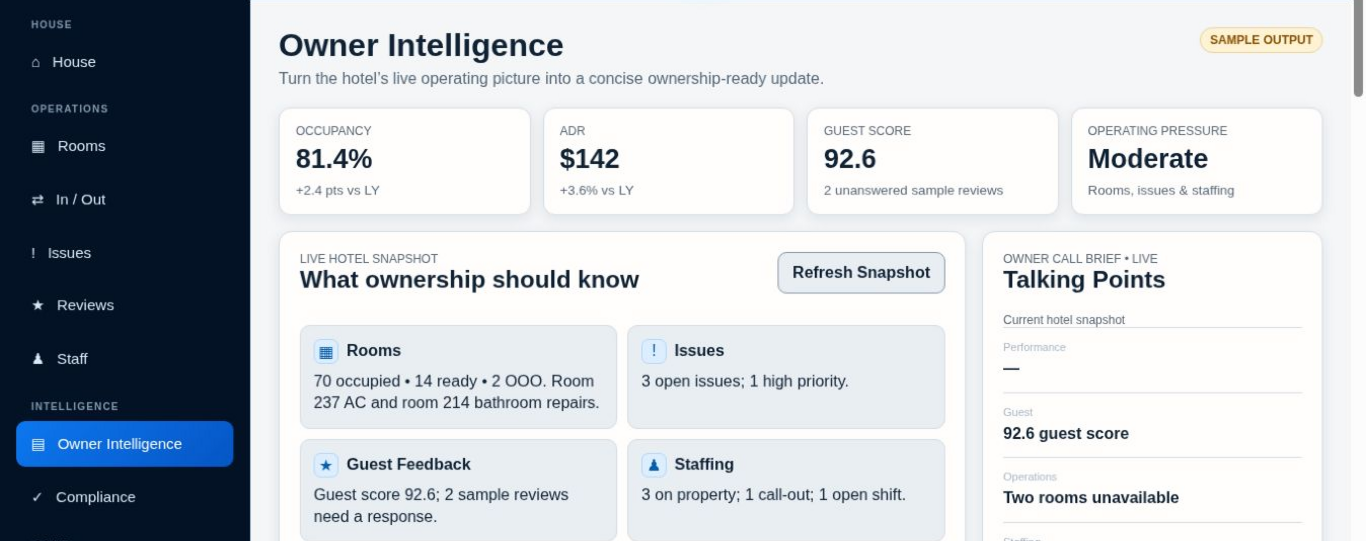
Current On Property interface shown with public-safe sample data.
Turn supported documents into management context.
Owners can summarize a supported report or compare selected documents, with One-Page or Detailed output. Review summaries, report comparisons, structured findings, and management takeaways against the source.
PDF, Excel, CSV, Word (.docx) and TXT, subject to 4 MB file, single-pass input and AI allowance limits. Some files cannot be fully analyzed. Verify figures and references before acting.
Explore Document Intelligence →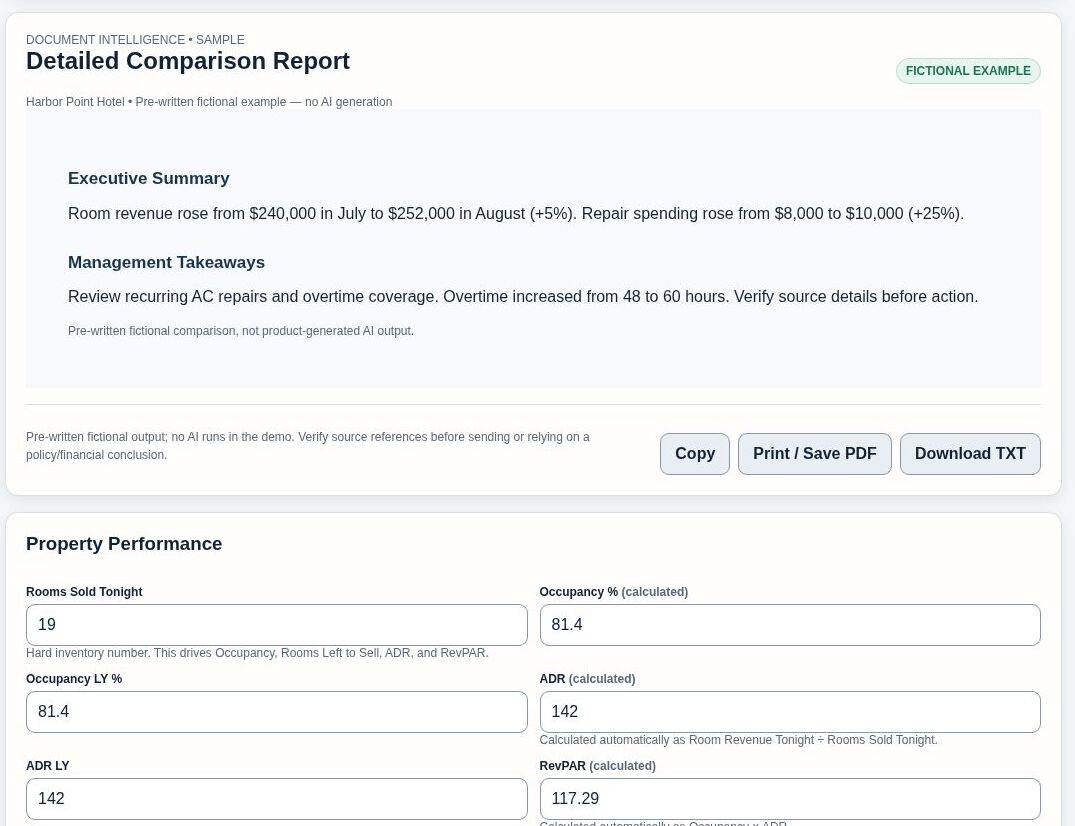
Example of the comparison experience using fictional, public-safe sample data.
Use the depth your property needs.
Rooms and In / Out are optional. Enable them when they help the team; keep them off when established PMS workflows already cover the work. Reservations, folios and core PMS accounting stay in your PMS.
A sample hotel. A real look at the workflow.
Explore fictional property information in a view-only demo. No customer data, saved changes or AI calls.
Founding Beta — $29 per property/month
One subscribed property workspace for daily operations, compliance tracking, AI-assisted workflows and owner reporting.
- Per property, not per user
- Up to 3 Manager seats per property
- Owner-only Document Intelligence
- AI GM Brief and owner reporting
- Daily operations and compliance tracking
- Capped monthly AI usage with guardrails
Recurring monthly subscription. Taxes may apply.
AI assistance has limits
Monthly allowances, file and input limits apply. Document Intelligence is available to the property Owner. Check the current allowance in the app.
Recurring subscription
Renews monthly unless canceled before renewal.
Cancellation
Cancellation stops future renewals; paid access generally continues through the current billing period, subject to applicable law and policy.
Refunds
Refund eligibility is governed by the On Property Refund Policy, applicable law, and Paddle buyer terms where applicable.
Merchant of Record
Paddle handles checkout, payment collection, applicable taxes, invoices, and certain billing functions for purchases processed through Paddle.
Know what you’re buying.
Is On Property a PMS?
No. It complements your PMS. Keep reservations, folios and core PMS accounting in the systems that handle them today.
Who can use Document Intelligence?
The property Owner. Document Intelligence is currently Owner-only; an invited Manager does not receive access to that feature.
Does Document Intelligence automatically feed the GM Brief?
No automatic connection is implied. They are separate workflows in the same workspace. Management reviews document findings and records any follow-up.
Is AI usage unlimited?
No. Monthly AI usage is capped, and file-size, input-size and feature-specific guardrails apply. Check the current allowance in the app.
Can I rely on AI without checking it?
No. Verify figures, sources, dates and conclusions. Management remains responsible for decisions and compliance requirements.
Is the price per user or per property?
The Founding Beta is $29 per property per month, with up to three Manager seats per property. Each subscribed property has its own subscription status.
Can I cancel?
You can cancel future renewals through available billing controls. Access and refunds remain subject to the current Terms and Refund Policy.
Built around the way hotel operators work.
On Property is the software expression of Villanueva Hospitality Group’s focus on strategy, operations and performance. Practical visibility, considered decisions and accountable follow-through.